 22af43acd7
Expand textExtensions with many missing common text file extensions (.lua, .rb, .vue, .svelte, .dart, .tex, .scala, .lisp, and many more). Add textFilenames list for well-known text files without a meaningful extension (Makefile, Dockerfile, README, LICENSE, .gitignore, etc.) so they open in the editor via handleEdit() instead of falling back to xdg-open via handleOpenExternal(). |
||
|---|---|---|
| .github/workflows | ||
| cmd/vcom | ||
| docs | ||
| internal | ||
| scripts | ||
| vendor | ||
| .codex | ||
| .gitignore | ||
| flake.lock | ||
| flake.nix | ||
| go.mod | ||
| go.sum | ||
| LICENSE | ||
| PKGBUILD | ||
| README.md | ||
| vcom.toml | ||
vcom
vcom is a two-pane terminal file manager with a fast built-in info/preview panel for the active selection.
Why vcom
- Two-pane workflow focused on keyboard speed
- Built-in preview/info pane for the active selection
- Asynchronous copy/move with progress and background mode
- Theme support and configurable layout/columns
Font requirement (icons)
For file icons, vcom expects a Nerd Font in your terminal profile.
Default behavior is ui.icon_mode = "auto":
- if a Nerd Font is detected,
vcomuses Nerd icons - if not,
vcomfalls back to ASCII icons automatically
You can force behavior in config:
ui.icon_mode = "nerd": always use Nerd iconsui.icon_mode = "ascii": always use ASCII icons
How to make terminal use the installed Nerd Font:
- GNOME Terminal:
Preferences -> Profile -> Text -> Custom font-> chooseJetBrainsMono Nerd Font - Konsole:
Settings -> Edit Current Profile -> Appearance-> choose a Nerd Font profile - Alacritty: set
font.normal.family: "JetBrainsMono Nerd Font"in~/.config/alacritty/alacritty.yml - Kitty: set
font_family JetBrainsMono Nerd Fontin~/.config/kitty/kitty.conf
Preview mode (F9 / i) temporarily replaces the inactive pane and shows:
- directory listing preview
- text file preview with syntax highlighting
- image metadata (format + dimensions)
- safe fallback for binary files
Screenshots
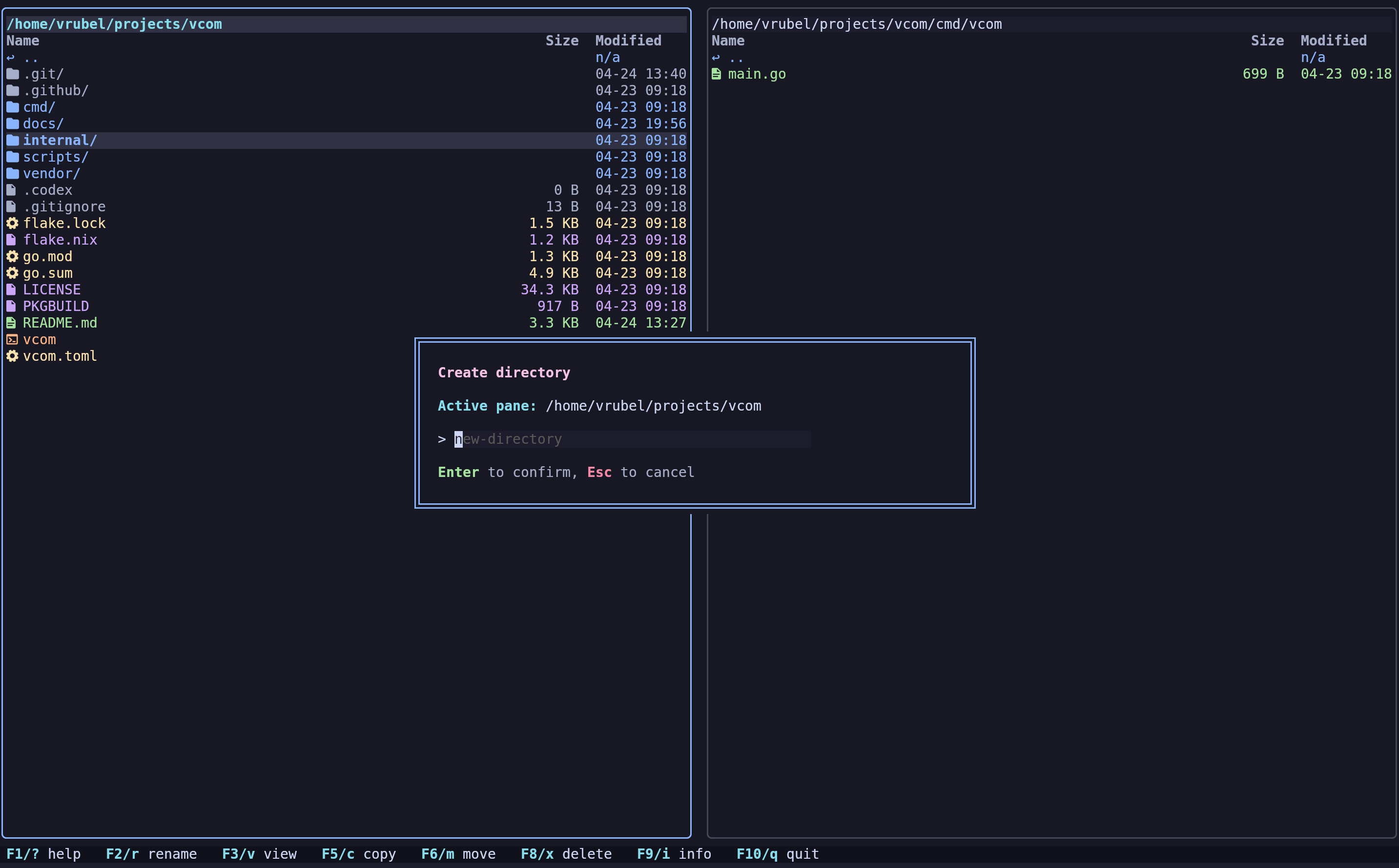
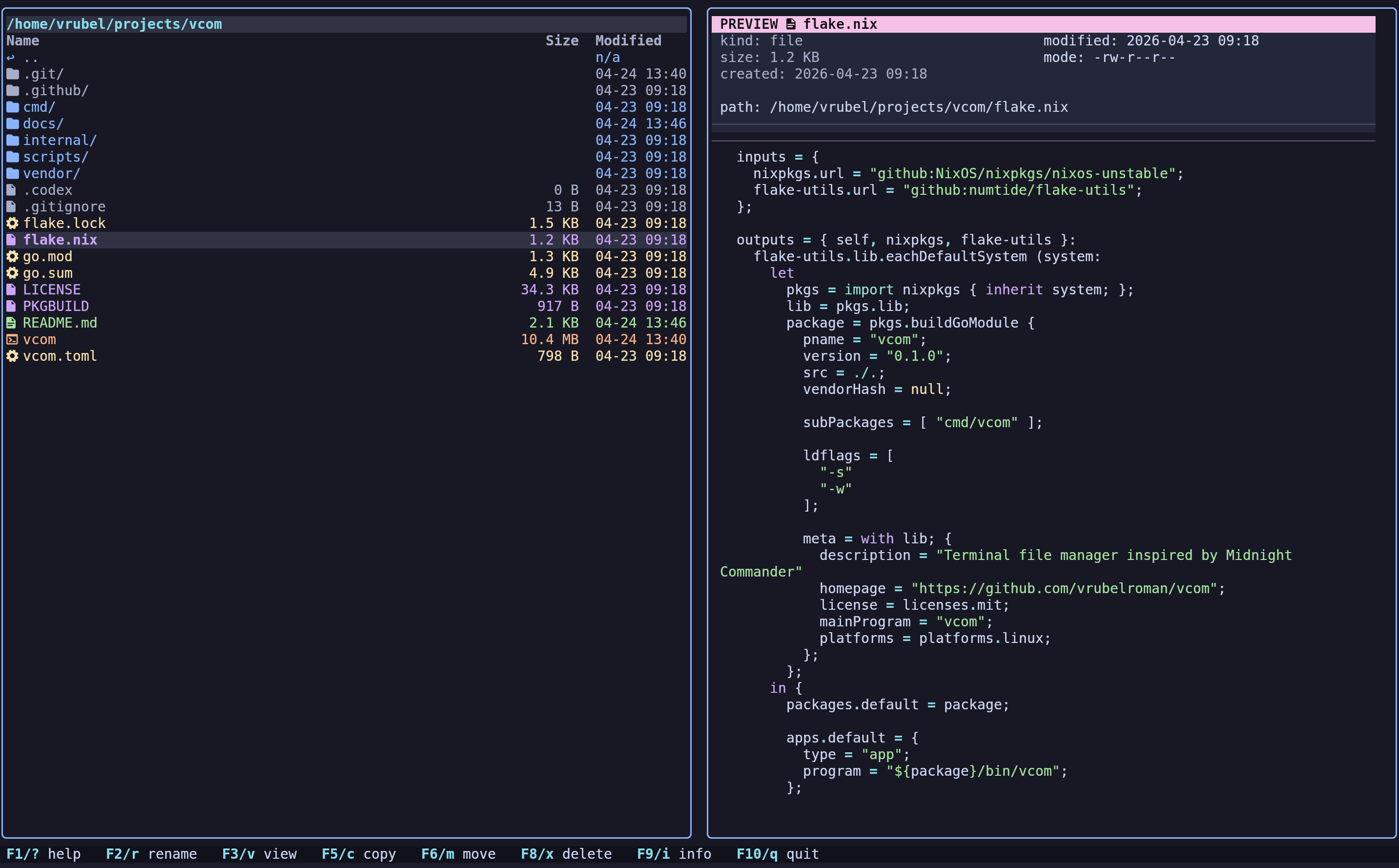
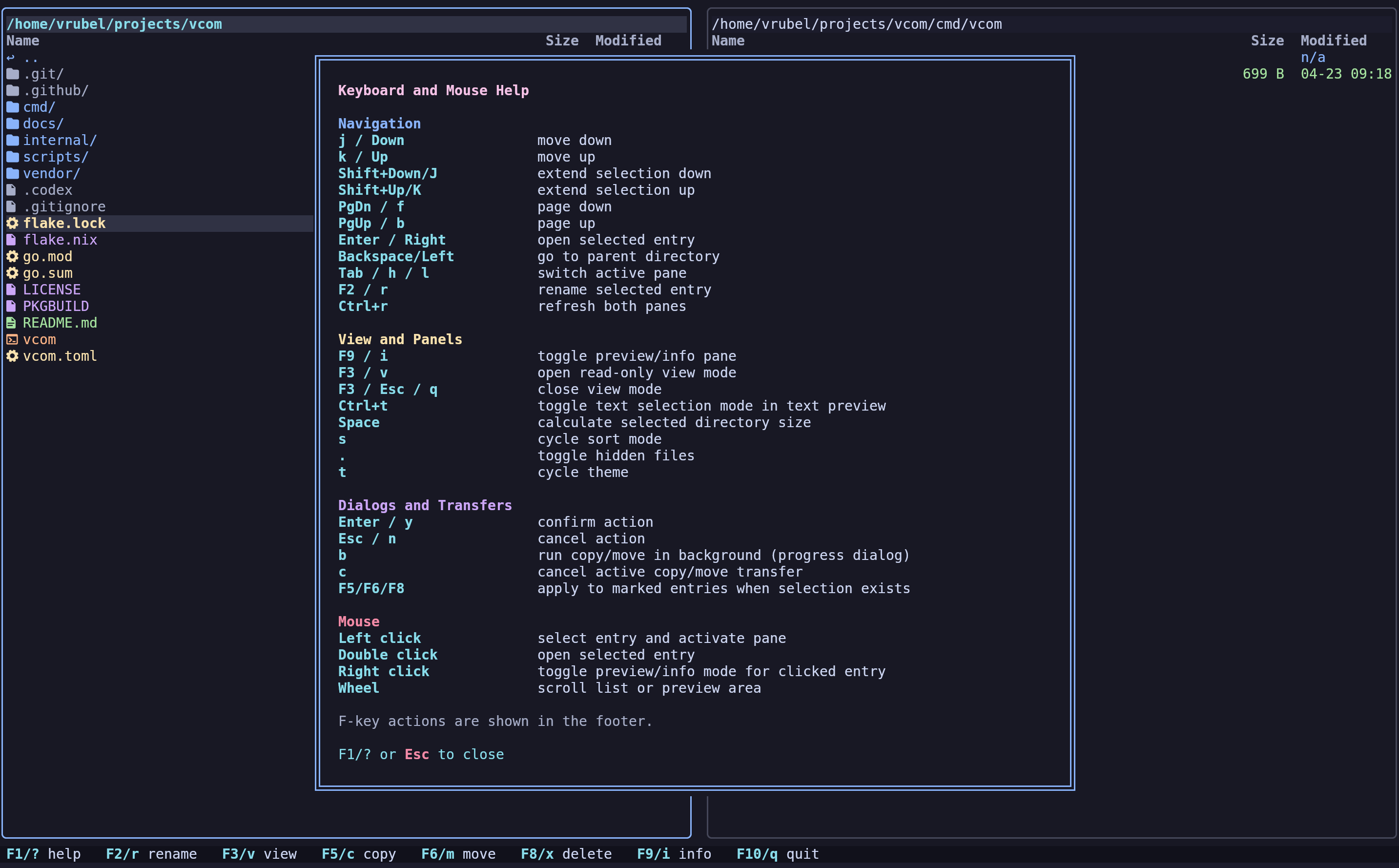
Build and run
Run directly:
go run ./cmd/vcom
Build local binary:
go build -o vcom ./cmd/vcom
Installation
NixOS / Nix
Run directly from the flake:
nix run github:vrubelroman/vcom?ref=v0.1.8
Install into user profile:
nix profile add github:vrubelroman/vcom?ref=v0.1.8
The Nix package wraps vcom with ueberzugpp in PATH, so image preview works in non-kitty terminals out of the box.
Debian / Ubuntu
Download the release .deb for v0.1.8, then install:
sudo apt install ./vcom_0.1.8_amd64.deb
The Debian package declares ueberzug (or ueberzugpp where available) as a dependency for image preview outside kitty.
Install a Nerd Font (example):
wget -qO /tmp/JetBrainsMono.zip https://github.com/ryanoasis/nerd-fonts/releases/latest/download/JetBrainsMono.zip
mkdir -p ~/.local/share/fonts/JetBrainsMonoNerd
unzip -o /tmp/JetBrainsMono.zip -d ~/.local/share/fonts/JetBrainsMonoNerd
fc-cache -fv
Then set your terminal font to a Nerd Font variant (for example, JetBrainsMono Nerd Font).
Arch Linux
A PKGBUILD is included in the repository:
makepkg -si
The Arch package depends on ueberzugpp, so non-kitty image preview is installed together with vcom.
Configuration
Optional config lookup order:
-config /path/to/vcom.toml./vcom.toml./config/vcom.toml$XDG_CONFIG_HOME/vcom/vcom.toml~/.config/vcom/vcom.toml
Reference config: vcom.toml
Icon mode example:
[ui]
icon_mode = "auto" # auto | nerd | ascii
Themes
Built-in themes:
catppuccin-mocha(default)tokyo-nightgruvbox-darknord-frost
Releases
Pushing a tag like v0.1.8 triggers GitHub Actions release workflow (.github/workflows/release.yml) which:
- runs tests
- vendors Go modules
- builds release binary
- builds Debian package
- publishes release assets
Release artifacts:
vcom-v0.1.8-x86_64-unknown-linux-gnu.tar.gzvcom_0.1.8_amd64.debvcom-v0.1.8-checksums.txt
Notes
- File creation time depends on filesystem/OS support; unavailable values are shown as
n/a.
Architecture notes: docs/architecture.md