 135f5e0d19
All checks were successful
CI / test (push) Successful in 10m0s
Audited every copy/move/delete path (local, remote same-host, cross-host)
and fixed:

- Shell command injection in same-host remote cp/mv (unescaped paths
  interpolated into exec strings); added remote.ShellQuote.
- Missing guard against copying/moving a directory into its own
  subdirectory, locally and on same-host remote transfers (unbounded
  recursion / disk fill). New regression tests in ops_test.go.
- Remote-to-remote same-path file copy silently truncating the source
  file via Create() before it finished being read.
- Overwrite warning ("N existing target(s)") never shown for remote
  destinations, only local ones.
- Remote same-host server-side cp never advancing the file-done counter
  (waited on -v output that was never requested).
- Removed a dead "plan-then-confirm" subsystem (5 functions, 2 message
  types, 2 unreachable Update() cases) superseded by the current design.
- Remote delete (SFTP) now runs as a cancellable job with the same
  progress modal as local delete, instead of a single blocking call.

Also add a CI workflow that runs build/vet/test on every push and PR,
since previously they only ran on release tags.

Co-Authored-By: Claude Sonnet 5 <noreply@anthropic.com>
|
||
|---|---|---|
| .github/workflows | ||
| cmd/vcom | ||
| docs | ||
| internal | ||
| plans | ||
| scripts | ||
| vendor | ||
| .codex | ||
| .gitignore | ||
| flake.lock | ||
| flake.nix | ||
| go.mod | ||
| go.sum | ||
| LICENSE | ||
| PKGBUILD | ||
| README.md | ||
| vcom-0.2.5-1-x86_64.pkg.tar.zst | ||
| vcom-0.2.5.tar.gz | ||
| vcom.toml | ||
vcom
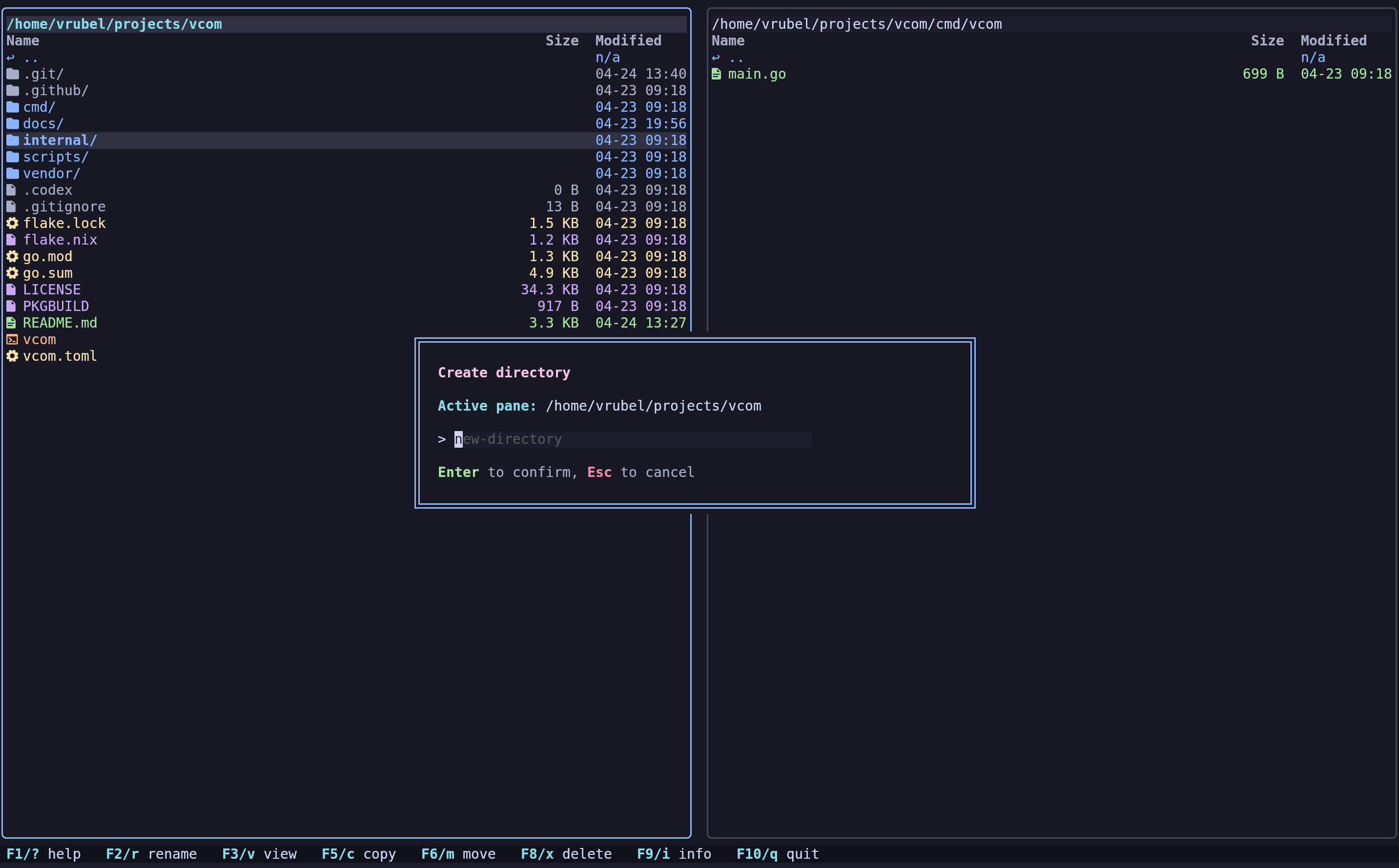
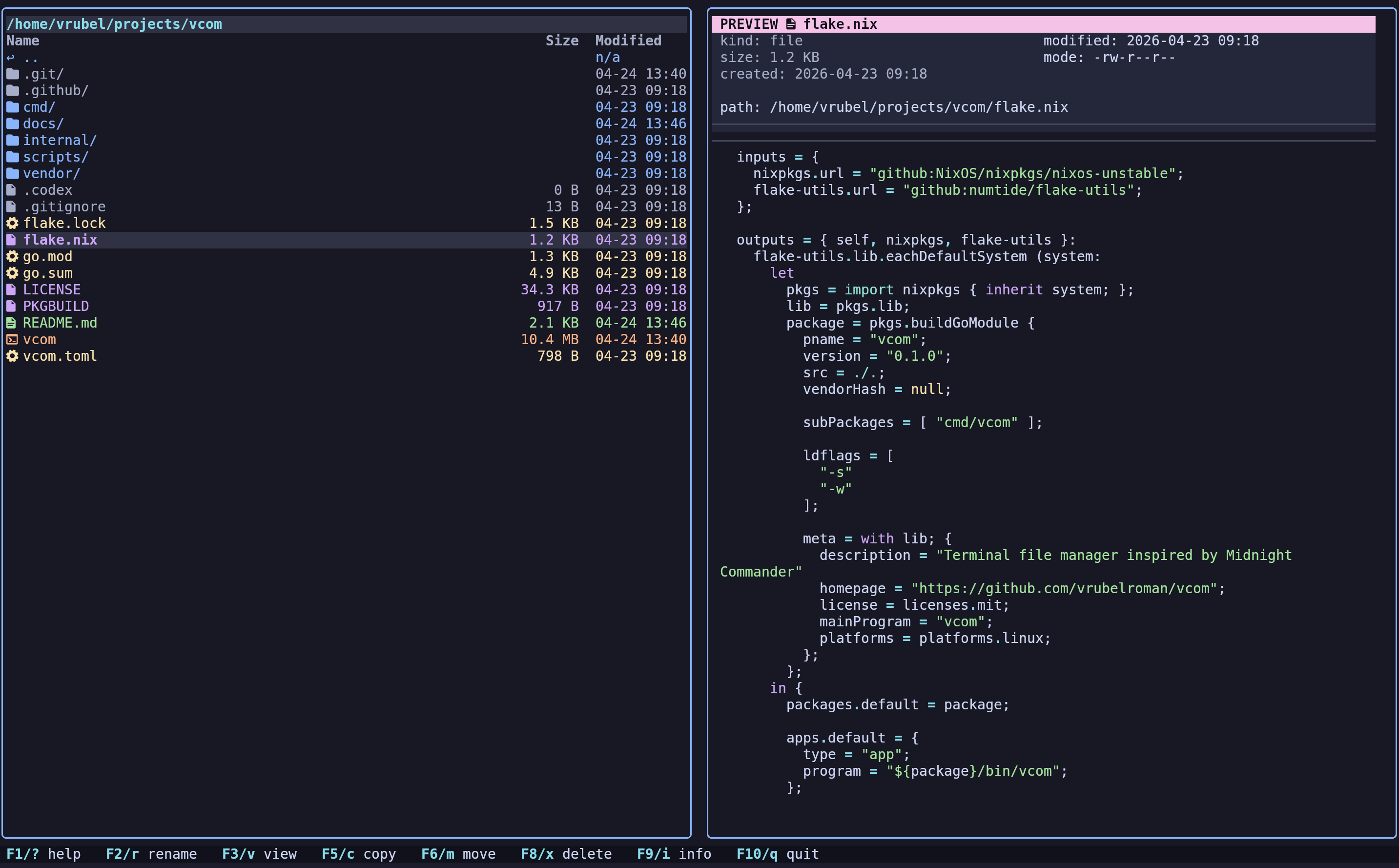
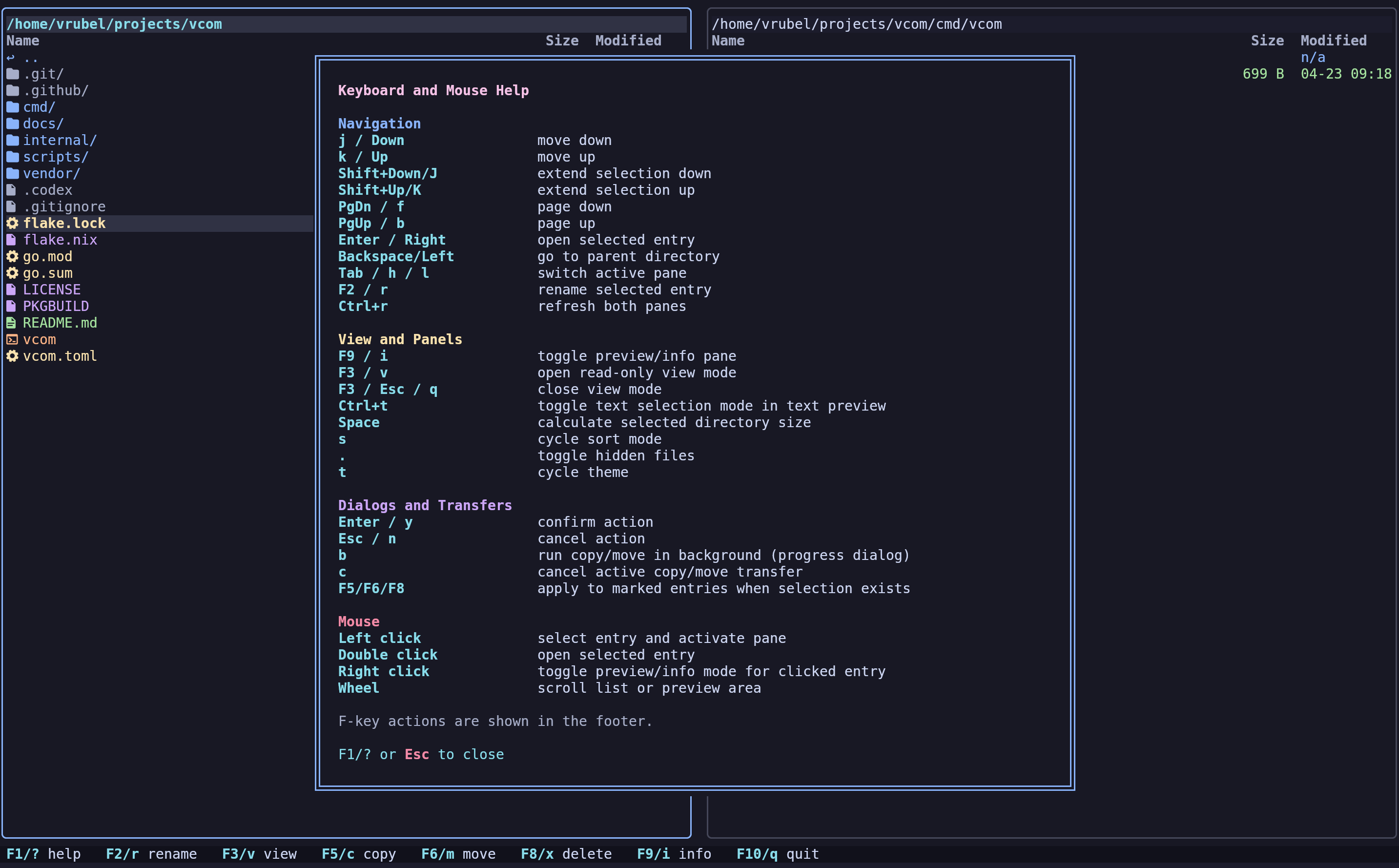
vcom is a two-pane terminal file manager with a fast built-in info/preview panel for the active selection.
Why vcom
- Two-pane workflow focused on keyboard speed
- Built-in preview/info pane for the active selection
- Asynchronous copy/move with progress and background mode
- Theme support and configurable layout/columns
Screenshots
Quick install
curl -fsSL https://raw.githubusercontent.com/vrubelroman/vcom/main/scripts/install.sh | bash
This single command installs vcom with Nerd Font and image preview support on any Linux distribution.
Build and run
Run directly:
go run ./cmd/vcom
Build local binary:
go build -o vcom ./cmd/vcom
Installation
NixOS / Nix
Run directly from the flake:
nix run github:vrubelroman/vcom?ref=v0.2.6
Install into user profile:
nix profile add github:vrubelroman/vcom?ref=v0.2.6
The Nix package wraps vcom with ueberzugpp in PATH, so image preview works in non-kitty terminals out of the box.
Debian / Ubuntu
Download and install the latest release:
curl -sL https://github.com/vrubelroman/vcom/releases/download/v0.2.6/vcom_0.2.6_amd64.deb -o /tmp/vcom_0.2.6_amd64.deb
sudo apt install /tmp/vcom_0.2.6_amd64.deb
The Debian package recommends ueberzugpp for image preview outside kitty (optional). To install it:
sudo apt install pipx && pipx ensurepath && pipx install ueberzugpp
Arch Linux
A PKGBUILD is included in the repository:
makepkg -si
The Arch package depends on ueberzugpp, so non-kitty image preview is installed together with vcom.
Fedora / RHEL
Download and install the latest RPM:
curl -sL https://github.com/vrubelroman/vcom/releases/download/v0.2.6/vcom-0.2.6-1.x86_64.rpm -o /tmp/vcom.rpm
sudo dnf install /tmp/vcom.rpm
Or on RHEL/CentOS:
sudo rpm -ivh /tmp/vcom.rpm
The RPM package recommends ueberzugpp for image preview outside kitty (optional):
sudo dnf install ueberzugpp
Font requirement (icons)
For file icons, vcom expects a Nerd Font in your terminal profile.
Default behavior is ui.icon_mode = "auto":
- if a Nerd Font is detected,
vcomuses Nerd icons - if not,
vcomfalls back to ASCII icons automatically
You can force behavior in config:
ui.icon_mode = "nerd": always use Nerd iconsui.icon_mode = "ascii": always use ASCII icons
Installing a Nerd Font
Ubuntu / Debian:
wget -qO /tmp/JetBrainsMono.zip https://github.com/ryanoasis/nerd-fonts/releases/latest/download/JetBrainsMono.zip
mkdir -p ~/.local/share/fonts/JetBrainsMonoNerd
unzip -o /tmp/JetBrainsMono.zip -d ~/.local/share/fonts/JetBrainsMonoNerd
fc-cache -fv
Arch Linux:
sudo pacman -S ttf-jetbrains-mono-nerd
Or via AUR helper:
yay -S nerd-fonts-jetbrains-mono
NixOS / Nix:
Add to your /etc/nixos/configuration.nix:
fonts.packages = with pkgs; [ nerd-fonts.jetbrains-mono ];
Or install imperatively:
nix profile install nixpkgs#nerd-fonts.jetbrains-mono
Configuring terminal to use the installed Nerd Font
After installing, set JetBrainsMono Nerd Font (or another Nerd Font) as the terminal font:
- GNOME Terminal:
Preferences → Profile → Text → Custom font→ chooseJetBrainsMono Nerd Font - Konsole:
Settings → Edit Current Profile → Appearance→ choose a Nerd Font profile - Alacritty: set
font.normal.family: "JetBrainsMono Nerd Font"in~/.config/alacritty/alacritty.yml - Kitty: set
font_family JetBrainsMono Nerd Fontin~/.config/kitty/kitty.conf - Foot: set
font=JetBrainsMono Nerd Font:size=11in~/.config/foot/foot.ini - WezTerm: set
font = wezterm.font("JetBrainsMono Nerd Font")in~/.config/wezterm/wezterm.lua - Windows Terminal:
Settings → Profiles → Defaults → Appearance → Font face→ chooseJetBrainsMono Nerd Font
Preview mode (F9 / i) temporarily replaces the inactive pane and shows:
- directory listing preview
- text file preview with syntax highlighting
- image metadata (format + dimensions)
- safe fallback for binary files
Configuration
Optional config lookup order:
-config /path/to/vcom.toml./vcom.toml./config/vcom.toml$XDG_CONFIG_HOME/vcom/vcom.toml~/.config/vcom/vcom.toml
Reference config: vcom.toml
Icon mode example:
[ui]
icon_mode = "auto" # auto | nerd | ascii
Themes
Built-in themes (press t to open theme selector or set ui.theme in config):
catppuccin-mocha(default)catppuccin-macchiatocatppuccin-lavendertokyo-nightgruvbox-darknordone-darkeverforestgithub-darkayu-darkbreezecyberpunkdraculaeldritchkanagawakanagawa-paperrose-pinesolarized-darkvesper
Releases
Pushing a tag like v0.2.6 triggers GitHub Actions release workflow (.github/workflows/release.yml) which:
- runs tests
- vendors Go modules
- builds release binary
- builds Debian package
- builds RPM package
- publishes release assets
Release artifacts:
vcom-v0.2.6-x86_64-unknown-linux-gnu.tar.gzvcom_0.2.6_amd64.debvcom-0.2.6-1.x86_64.rpmvcom-v0.2.6-checksums.txt
Notes
- File creation time depends on filesystem/OS support; unavailable values are shown as
n/a.
Architecture notes: docs/architecture.md