 e4514028ef
All checks were successful
CI / test (push) Successful in 9m41s
grep for the version bump missed this file since it has no extension. makepkg pulls sources from the tag named after pkgver, so Arch builds were still fetching v0.2.6 despite main/the v0.2.7 tag being current. Co-Authored-By: Claude Sonnet 5 <noreply@anthropic.com> |
||
|---|---|---|
| .github/workflows | ||
| cmd/vcom | ||
| docs | ||
| internal | ||
| plans | ||
| scripts | ||
| vendor | ||
| .codex | ||
| .gitignore | ||
| flake.lock | ||
| flake.nix | ||
| go.mod | ||
| go.sum | ||
| LICENSE | ||
| PKGBUILD | ||
| README.md | ||
| vcom-0.2.5-1-x86_64.pkg.tar.zst | ||
| vcom-0.2.5.tar.gz | ||
| vcom.toml | ||
vcom
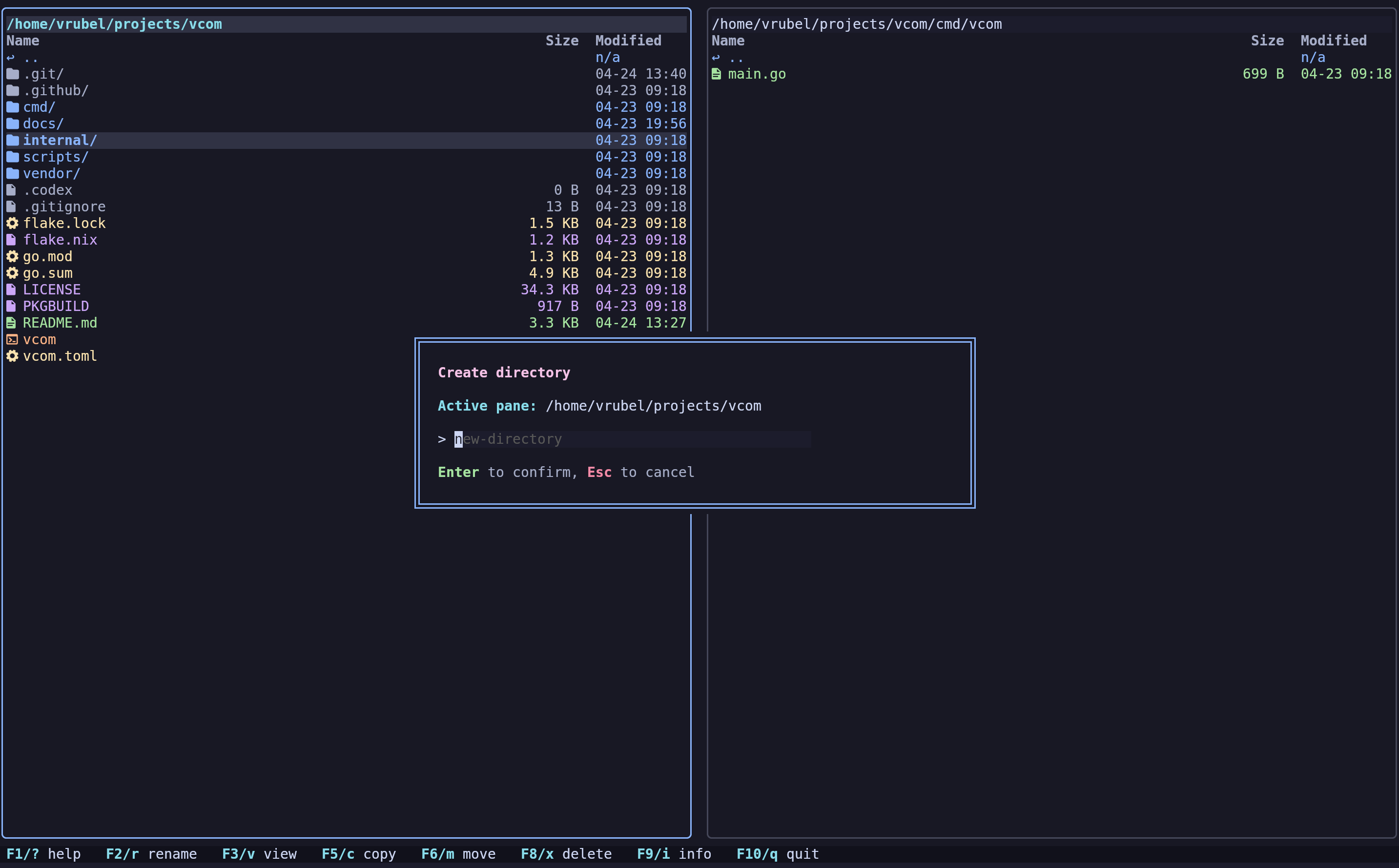
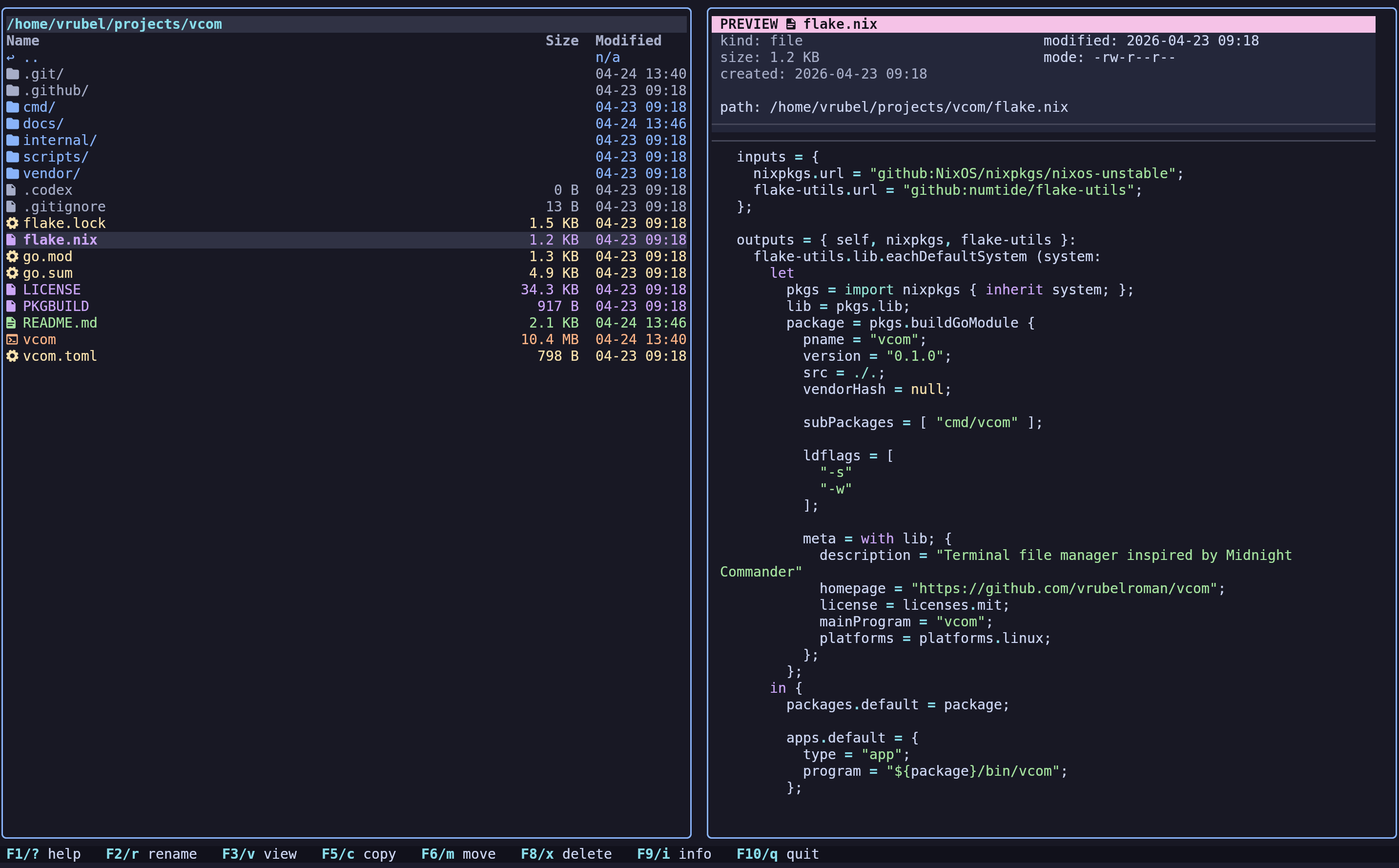
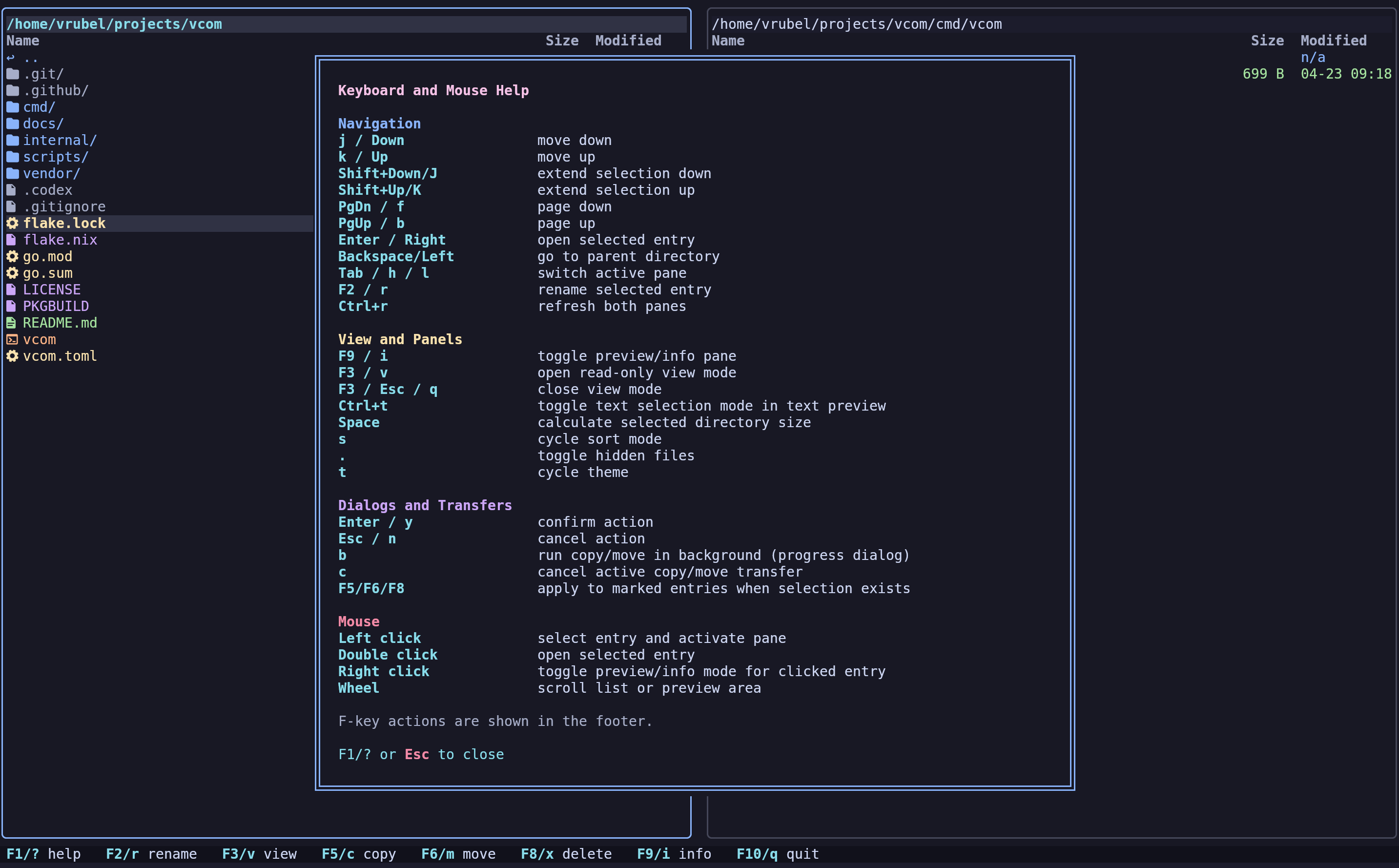
vcom is a two-pane terminal file manager with a fast built-in info/preview panel for the active selection.
Why vcom
- Two-pane workflow focused on keyboard speed
- Built-in preview/info pane for the active selection
- Asynchronous copy/move with progress and background mode
- Theme support and configurable layout/columns
Screenshots
Quick install
curl -fsSL https://raw.githubusercontent.com/vrubelroman/vcom/main/scripts/install.sh | bash
This single command installs vcom with Nerd Font and image preview support on any Linux distribution.
Build and run
Run directly:
go run ./cmd/vcom
Build local binary:
go build -o vcom ./cmd/vcom
Installation
NixOS / Nix
Run directly from the flake:
nix run github:vrubelroman/vcom?ref=v0.2.7
Install into user profile:
nix profile add github:vrubelroman/vcom?ref=v0.2.7
The Nix package wraps vcom with ueberzugpp in PATH, so image preview works in non-kitty terminals out of the box.
Debian / Ubuntu
Download and install the latest release:
curl -sL https://github.com/vrubelroman/vcom/releases/download/v0.2.7/vcom_0.2.7_amd64.deb -o /tmp/vcom_0.2.7_amd64.deb
sudo apt install /tmp/vcom_0.2.7_amd64.deb
The Debian package recommends ueberzugpp for image preview outside kitty (optional). To install it:
sudo apt install pipx && pipx ensurepath && pipx install ueberzugpp
Arch Linux
A PKGBUILD is included in the repository:
makepkg -si
The Arch package depends on ueberzugpp, so non-kitty image preview is installed together with vcom.
Fedora / RHEL
Download and install the latest RPM:
curl -sL https://github.com/vrubelroman/vcom/releases/download/v0.2.7/vcom-0.2.7-1.x86_64.rpm -o /tmp/vcom.rpm
sudo dnf install /tmp/vcom.rpm
Or on RHEL/CentOS:
sudo rpm -ivh /tmp/vcom.rpm
The RPM package recommends ueberzugpp for image preview outside kitty (optional):
sudo dnf install ueberzugpp
Font requirement (icons)
For file icons, vcom expects a Nerd Font in your terminal profile.
Default behavior is ui.icon_mode = "auto":
- if a Nerd Font is detected,
vcomuses Nerd icons - if not,
vcomfalls back to ASCII icons automatically
You can force behavior in config:
ui.icon_mode = "nerd": always use Nerd iconsui.icon_mode = "ascii": always use ASCII icons
Installing a Nerd Font
Ubuntu / Debian:
wget -qO /tmp/JetBrainsMono.zip https://github.com/ryanoasis/nerd-fonts/releases/latest/download/JetBrainsMono.zip
mkdir -p ~/.local/share/fonts/JetBrainsMonoNerd
unzip -o /tmp/JetBrainsMono.zip -d ~/.local/share/fonts/JetBrainsMonoNerd
fc-cache -fv
Arch Linux:
sudo pacman -S ttf-jetbrains-mono-nerd
Or via AUR helper:
yay -S nerd-fonts-jetbrains-mono
NixOS / Nix:
Add to your /etc/nixos/configuration.nix:
fonts.packages = with pkgs; [ nerd-fonts.jetbrains-mono ];
Or install imperatively:
nix profile install nixpkgs#nerd-fonts.jetbrains-mono
Configuring terminal to use the installed Nerd Font
After installing, set JetBrainsMono Nerd Font (or another Nerd Font) as the terminal font:
- GNOME Terminal:
Preferences → Profile → Text → Custom font→ chooseJetBrainsMono Nerd Font - Konsole:
Settings → Edit Current Profile → Appearance→ choose a Nerd Font profile - Alacritty: set
font.normal.family: "JetBrainsMono Nerd Font"in~/.config/alacritty/alacritty.yml - Kitty: set
font_family JetBrainsMono Nerd Fontin~/.config/kitty/kitty.conf - Foot: set
font=JetBrainsMono Nerd Font:size=11in~/.config/foot/foot.ini - WezTerm: set
font = wezterm.font("JetBrainsMono Nerd Font")in~/.config/wezterm/wezterm.lua - Windows Terminal:
Settings → Profiles → Defaults → Appearance → Font face→ chooseJetBrainsMono Nerd Font
Preview mode (F9 / i) temporarily replaces the inactive pane and shows:
- directory listing preview
- text file preview with syntax highlighting
- image metadata (format + dimensions)
- safe fallback for binary files
Configuration
Optional config lookup order:
-config /path/to/vcom.toml./vcom.toml./config/vcom.toml$XDG_CONFIG_HOME/vcom/vcom.toml~/.config/vcom/vcom.toml
Reference config: vcom.toml
Icon mode example:
[ui]
icon_mode = "auto" # auto | nerd | ascii
Themes
Built-in themes (press t to open theme selector or set ui.theme in config):
catppuccin-mocha(default)catppuccin-macchiatocatppuccin-lavendertokyo-nightgruvbox-darknordone-darkeverforestgithub-darkayu-darkbreezecyberpunkdraculaeldritchkanagawakanagawa-paperrose-pinesolarized-darkvesper
Releases
Pushing a tag like v0.2.7 triggers GitHub Actions release workflow (.github/workflows/release.yml) which:
- runs tests
- vendors Go modules
- builds release binary
- builds Debian package
- builds RPM package
- publishes release assets
Release artifacts:
vcom-v0.2.7-x86_64-unknown-linux-gnu.tar.gzvcom_0.2.7_amd64.debvcom-0.2.7-1.x86_64.rpmvcom-v0.2.7-checksums.txt
Notes
- File creation time depends on filesystem/OS support; unavailable values are shown as
n/a.
Architecture notes: docs/architecture.md